The Ultimate Guide on How to Mount 3 Monitors Setup
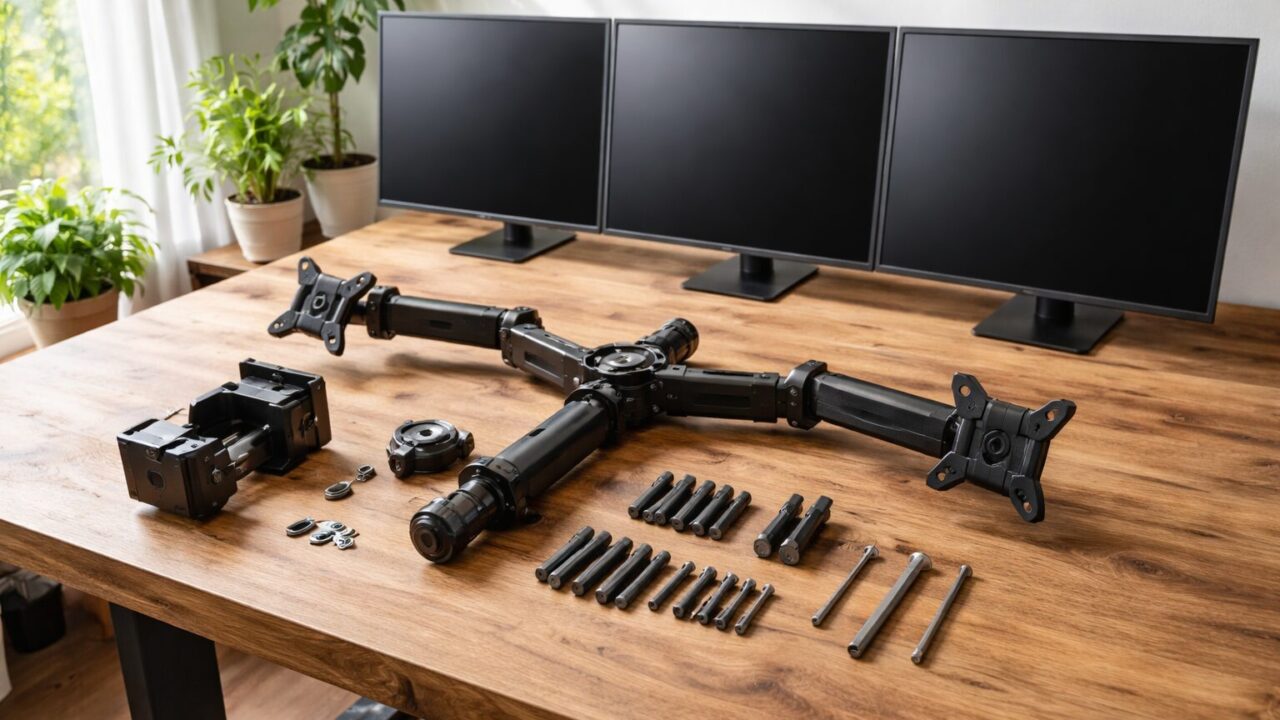

If you spend long hours working, gaming, or trading, upgrading your workspace with multiple displays can completely transform your daily productivity.
However, figuring out how to mount 3 monitors securely and connecting all the cables properly can be a bit overwhelming for beginners.
You might be wondering about the necessary hardware, whether your computer can handle it, or if you need to drill holes in your wall.
In this ultimate guide, we will walk you through the entire process, answering all your technical questions and highlighting the best equipment available.
Let’s dive right in and start building your ultimate dream desk setup together!
- Learn how to connect three screens easily.
- Understand docking stations and splitters.
- Find the best triple monitor mount for you.
Essential Knowledge Before Mounting 3 Monitors
 Prime Gear Guide Image
- Is 3 screens overkill? Understanding the workflow benefits
- How to attach 3 monitors to a desktop and a laptop
- Do I need a docking station or a splitter for 3 monitors?
- How to wall mount pc monitor: Tips for a clean setup
1. Is 3 screens overkill? Understanding the workflow benefits
When planning a massive workspace upgrade, you might naturally ask yourself, “Is 3 screens overkill?”
For casual web browsing or watching occasional videos, a single display is usually more than enough.
However, for professionals like video editors, day traders, software developers, and hardcore gamers, three displays are incredibly beneficial.
Having one central screen for your primary task and two peripheral screens for reference materials drastically reduces the need to constantly switch tabs.
This seamless workflow significantly reduces mental fatigue and allows you to maintain deep focus on your core tasks.
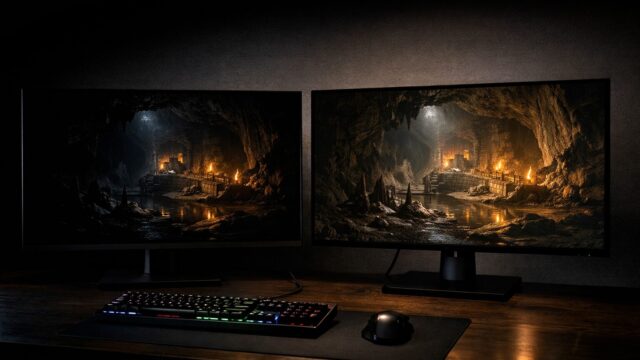
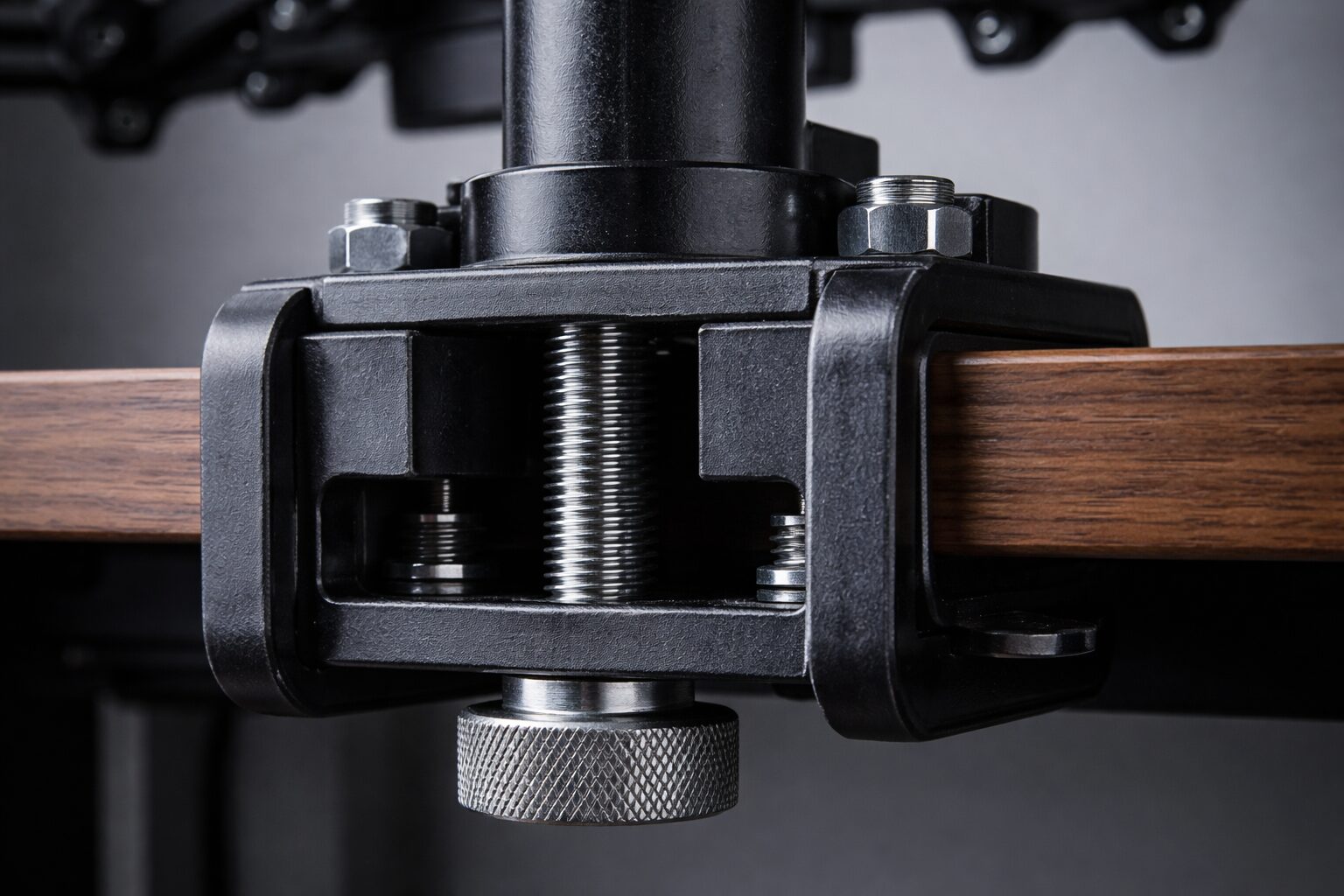
Furthermore, a well-configured Monitor Mount can perfectly align all three displays, creating an immersive, panoramic viewing experience.
It keeps your desk surface completely free of bulky, original monitor stands, giving you plenty of room for your keyboard and accessories.
Therefore, investing in Mounting 3 monitors is definitely not overkill if you value productivity and a clean, organized digital workspace.
 Prime Gear Guide Image
2. How to attach 3 monitors to a desktop and a laptop
The most critical step in building your dream workspace is figuring out exactly the hardware connections.
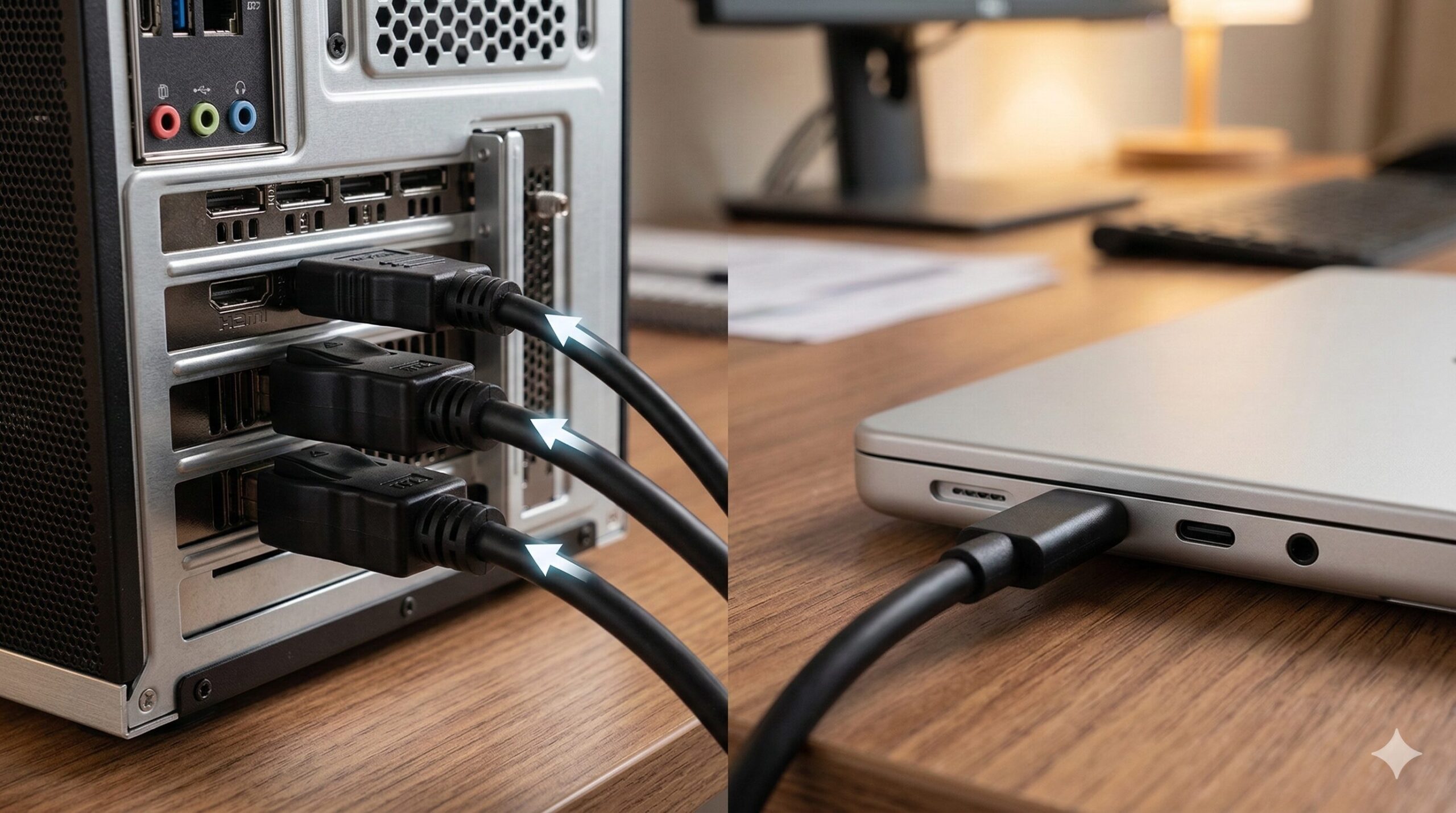
If you are wondering “How to attach 3 monitors to a desktop?”, you first need to check the back of your computer case.
Most modern dedicated graphics cards (GPUs) come equipped with at least three or four display outputs, typically a mix of HDMI and DisplayPort.
Simply connect a dedicated cable from each monitor directly into the graphics card to ensure the best possible resolution and refresh rate.
If you want to know “How to setup 3 monitors on a laptop”, the process becomes slightly more complicated due to limited ports.
Most laptops only have one HDMI output and perhaps one USB-C port capable of transmitting video signals.
 Prime Gear Guide Image
- Check your desktop GPU for enough HDMI or DisplayPort outputs.
- For laptops, verify if your USB-C port supports DisplayPort Alternate Mode.
You will likely need additional adapters or specialized hardware to push the video signal to three separate displays simultaneously from a laptop.
Always check your computer’s official specifications online to confirm the maximum number of external displays it actively supports.
3. Do I need a docking station or a splitter for 3 monitors?
When connecting multiple displays, especially to laptops, users often ask, “Do I need a docking station for 3 monitors?”
If you are using a modern laptop, a high-quality docking station is almost certainly required to manage multiple high-resolution video outputs.
A premium Thunderbolt or USB-C docking station provides multiple video ports while simultaneously charging your laptop through a single cable.
This creates an incredibly clean desk environment, allowing you to disconnect your laptop with just one plug when you need to travel.
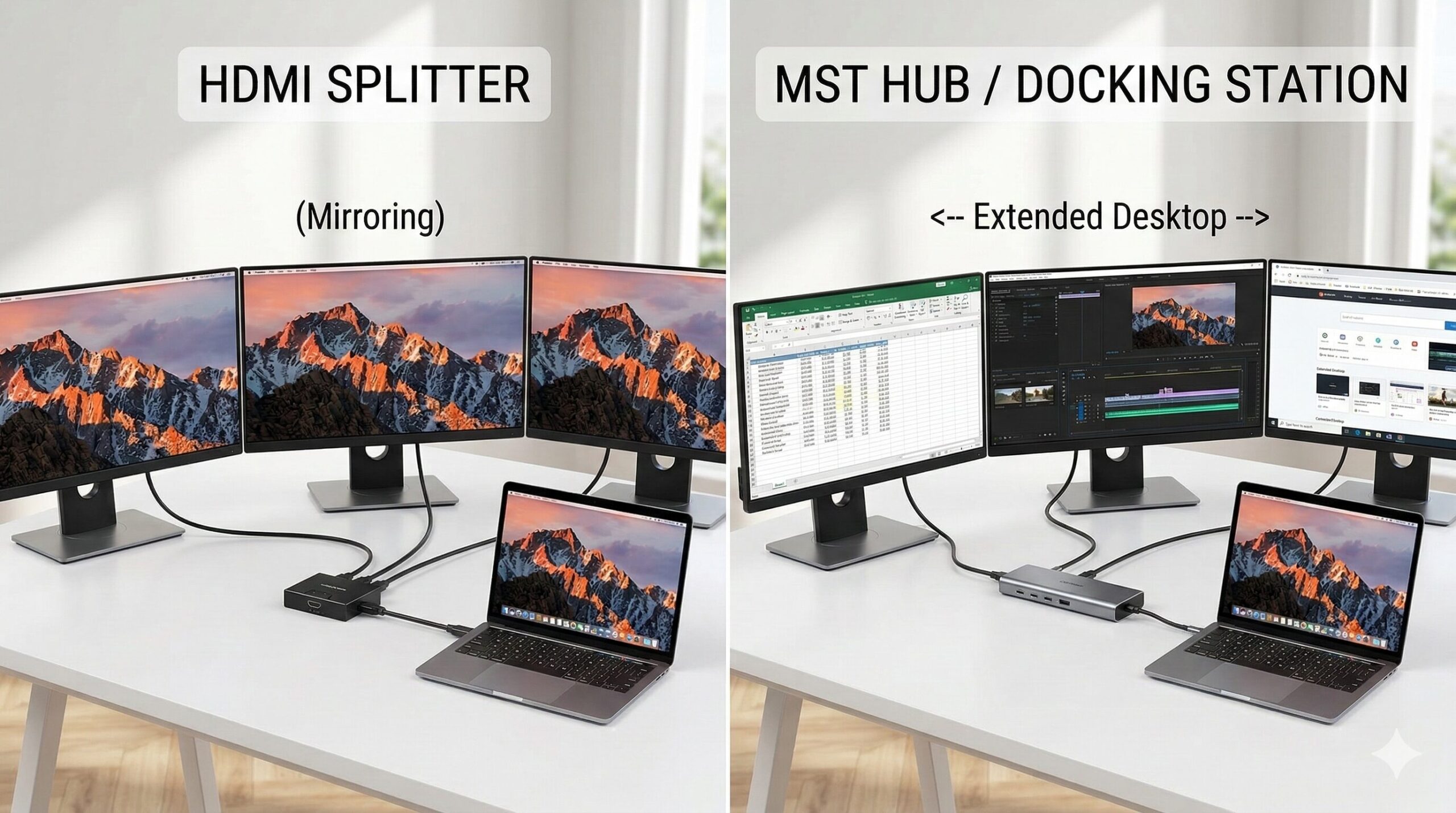
On the other hand, you might also wonder, “Do I need a splitter for 3 monitors?”
A simple HDMI splitter will only duplicate the same image across all screens, which defeats the purpose of an extended desktop.
To get independent, extended displays from a single port, you need an MST (Multi-Stream Transport) hub instead of a basic splitter.
Use DisplayPort MST: If your monitors support DisplayPort 1.2 and Multi-Stream Transport (MST), you can daisy chain them. Connect your laptop to the first monitor using the DisplayPort-In connection, and then connect the DisplayPort-Out of the first monitor to the DisplayPort-In of the second monitor. Make sure to enable DisplayPort 1.2 in the monitor’s settings.
Make sure to purchase the correct hardware based on whether you want mirrored screens or a vast, extended digital workspace.
4. How to wall mount pc monitor: Tips for a clean setup
If you want the ultimate minimalist aesthetic, skipping the desk clamp and learning How to wall mount pc monitor is a brilliant idea.
A 3 Monitor setup Wall Mount completely frees up your entire desk surface, creating a floating screen effect that looks incredibly futuristic.
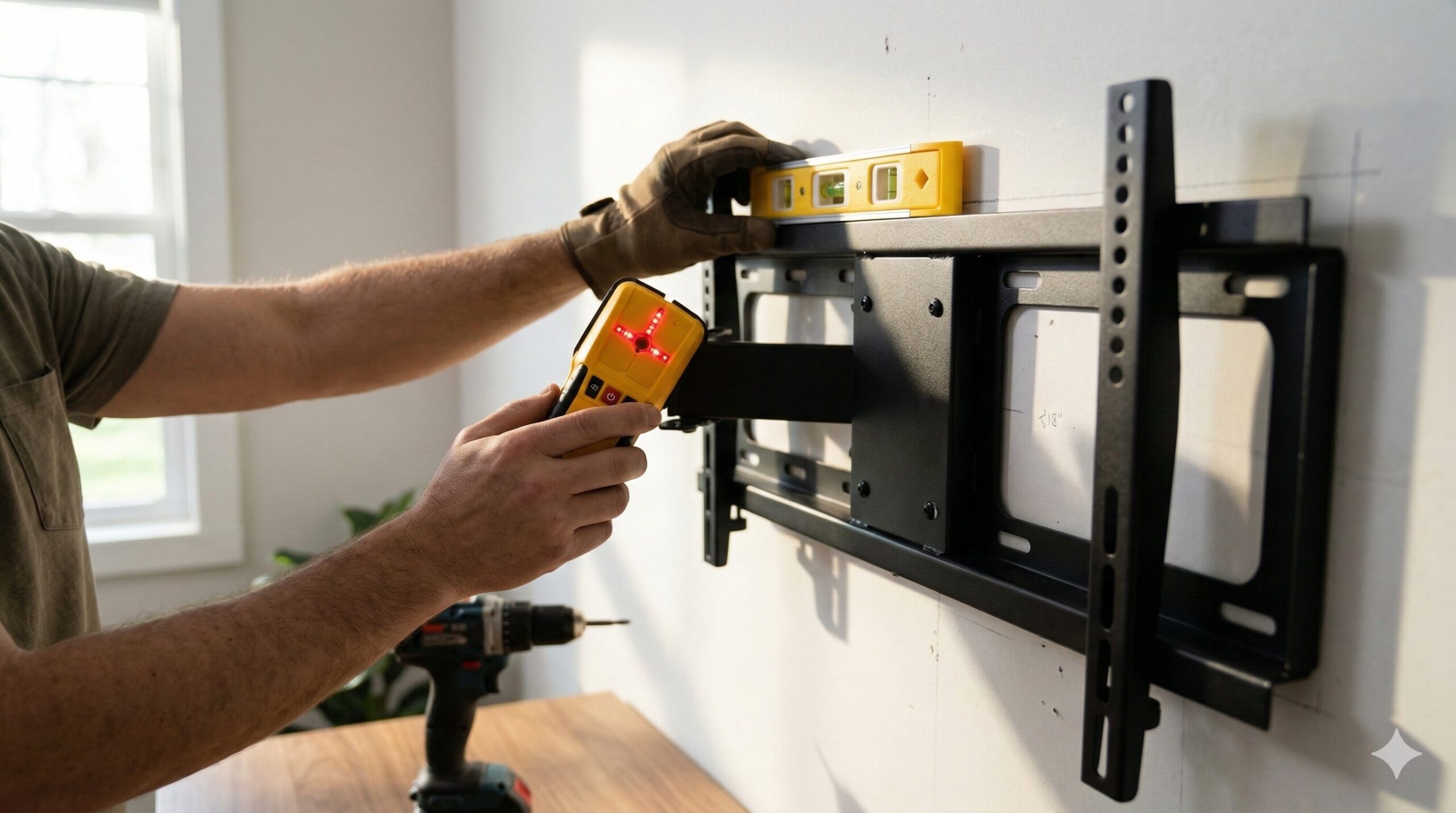
Whether you are looking for a standard Dual Monitor Wall Mount or a heavy-duty Triple Monitor Wall Mount 32 Inch, finding the wall studs is crucial.
You cannot simply screw heavy brackets directly into drywall, as the sheer weight of three screens will inevitably tear down the wall.
Use a high-quality electronic stud finder to locate the wooden supports behind your drywall before drilling any pilot holes.
 Prime Gear Guide Image
If you are planning a DIY monitor wall mount project, make sure to carefully route your power and video cables behind the wall or through paintable cable raceways.
Hiding the cables is the secret to achieving that ultra-clean, professional look that you frequently see on social media workspace tours.
Take your time during the installation process, measure everything twice, and your wall-mounted setup will be safe and visually stunning.
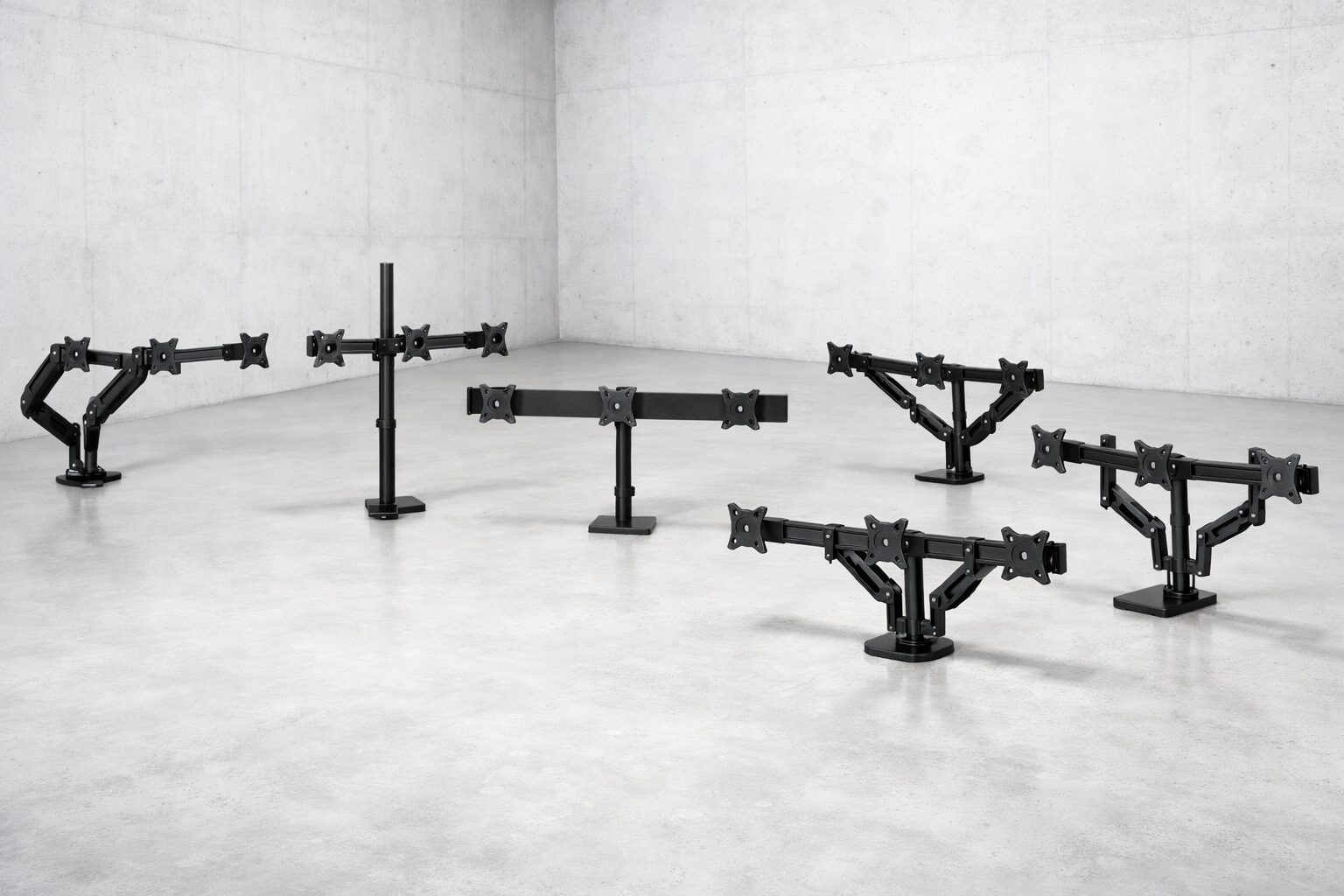
Top 5 Best Monitor Mounts for a Triple Screen Setup
 Prime Gear Guide Image
| No. | Product Name | Features | Best for |
|---|---|---|---|
| 1 | Ergotron HX Triple Monitor Bow Kit | Premium build and incredible stability | Professional users with high budgets |
| 2 | HUANUO Triple Monitor Mount | Gas spring arms for easy adjustment | Gamers with 17 to 32-inch screens |
| 3 | VIVO Triple Monitor Desk Mount Stand | Sturdy pyramid-style stacking | Users wanting one screen on top |
| 4 | VIVO Triple Monitor Adjustable Mount | Heavy-duty horizontal alignment | Budget-conscious home office workers |
| 5 | WALI Triple Monitor Stand | Free-standing base without clamping | Glass desks or non-clampable tables |
1. Ergotron : HX Triple Monitor Bow Kit (98-009-026)
When it comes to the absolute highest quality in ergonomic office equipment, Ergotron is widely recognized as the industry gold standard.
The HX Triple Monitor Bow Kit is designed for professionals who absolutely refuse to compromise on stability, durability, and smooth adjustments.
This premium mounting solution securely holds three displays, completely preventing any annoying screen wobble even if you type aggressively.
The integrated bow allows you to easily pivot and angle the side monitors to create the perfect panoramic viewing curve.
Its sleek, polished aluminum construction not only provides unparalleled strength but also adds a touch of modern luxury to your office.
Cable management channels are seamlessly built directly into the arms, ensuring your premium workspace remains completely clutter-free.
If you are using expensive, high-end displays and want the absolute best mounting hardware available, the Ergotron HX is your perfect choice.
2. HUANUO : Triple Monitor Mount for 17–32″ Screens
If you are looking for a versatile and highly adjustable solution that accommodates larger screens, this HUANUO mount is an excellent option.
It explicitly supports heavy displays ranging from 17 inches all the way up to massive 32-inch monitors without breaking a sweat.
The key feature of this mount is its premium gas spring system, which allows you to effortlessly raise, lower, and tilt each screen individually.
This independent articulation is fantastic for users who constantly change their sitting posture or occasionally prefer to stand while working.
You can easily rotate one of the side monitors into a vertical portrait mode, which is highly ideal for reading long documents or coding.
- Gas spring arms allow effortless, finger-touch height adjustments.
- Easily supports massive 32-inch monitors without sagging.
The sturdy C-clamp and grommet mounting base ensure the entire heavy structure stays firmly rooted to your desktop surface.
For hardcore gamers and multitaskers who demand flexibility and robust support, this HUANUO gas spring mount provides outstanding value.
3. VIVO : Triple Monitor Desk Mount Stand (STAND-V003T)
Not everyone has the enormous desk width required to place three large monitors side-by-side in a single horizontal row.
For those dealing with limited horizontal space, the VIVO STAND-V003T offers a brilliant, space-saving “pyramid” stacking configuration.
This unique mount securely holds two monitors on the bottom row and elevates the third monitor directly above them in the center.
This stacked arrangement is incredibly popular among streamers, day traders, and music producers who need to monitor multiple data feeds efficiently.
Constructed from high-grade steel, it feels incredibly rigid and safely supports the weight of three screens without leaning forward.
The VESA plates are fully adjustable, allowing you to finely tune the tilt and swivel of each individual screen for optimal viewing angles.
If you want to maximize your vertical screen real estate while keeping a relatively narrow footprint, this stacked VIVO mount is highly recommended.
4. VIVO : Triple Monitor Adjustable Desk Mount (STAND-V003M)
For users who prefer the traditional, side-by-side horizontal alignment but are on a strict budget, the VIVO STAND-V003M is a legendary choice.
This heavy-duty steel mount is one of the most popular and highly-rated budget solutions available on the entire market today.
It utilizes a robust central pole and solid articulated arms to keep your three monitors perfectly aligned at the exact same height.
Because it does not use gas springs, you must lock the height in place using heavy-duty bolts, which guarantees absolutely zero sagging over time.
The integrated cable management clips elegantly route your power and HDMI cords straight down the central pole, hiding them from view.
While it lacks the instant finger-touch adjustability of more expensive gas spring models, its rock-solid stability is truly impressive for the price.
It is the absolute perfect entry-level mounting hardware for anyone looking to build a massive triple display setup on a tight budget.
5. WALI : Triple Monitor Stand (Free Standing, MF003S)
Sometimes, clamping a heavy metal mount to the back edge of your desk is simply impossible due to the desk’s material or design.
If you own a fragile glass desk, a thick antique table, or a desk with a closed back panel, the WALI Free Standing mount is your savior.
Instead of relying on a destructive C-clamp, this mount utilizes a massive, weighted steel base that sits directly on top of your desk surface.
The V-shaped base is engineered to be incredibly heavy and wide, preventing the entire triple monitor setup from tipping forward.
It offers excellent adjustability, allowing you to effortlessly slide the monitors along the main crossbar to eliminate any annoying bezel gaps.
The free-standing design provides ultimate flexibility, making it a favorite among users who frequently rearrange their office layouts.
If clamping is not an option for your workspace, this sturdy WALI stand is undeniably the safest and most reliable alternative available.
Conclusion: Elevate Your Workspace with a Triple Setup
 Prime Gear Guide Image
- Check your ports: Ensure your PC supports 3 displays.
- Choose the right mount: Pick clamped or free-standing.
- Manage your cables: Keep your desk clean and organized.
3 台のモニターのセットアップにアップグレードすることは、日々の生産性と没入型エンターテイメントを最大限に高めるための大きな前進です。
大胆に壁に穴を開ける場合でも、便利なクランプ マウントを選択する場合でも、人間工学的な快適さを実現するには、画面を安全に配置することが不可欠です。
適切なハードウェアを慎重に選択し、時間をかけてケーブルをきちんと配線することで、夢の究極のワークスペースを簡単に作成できます。